
Monthly Archives: June 2016
Inclusionary Housing

Types of Floodproofing

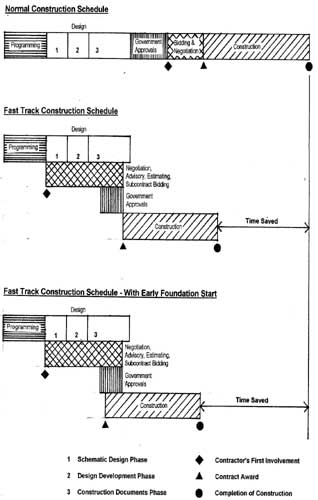
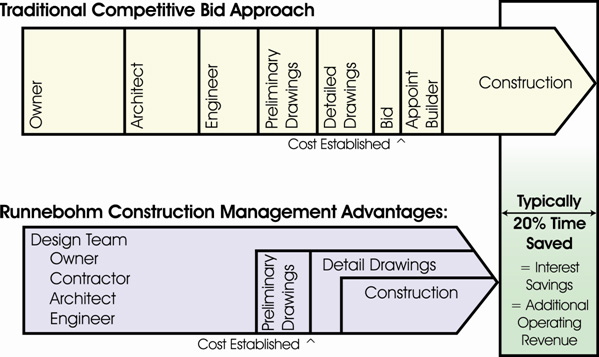
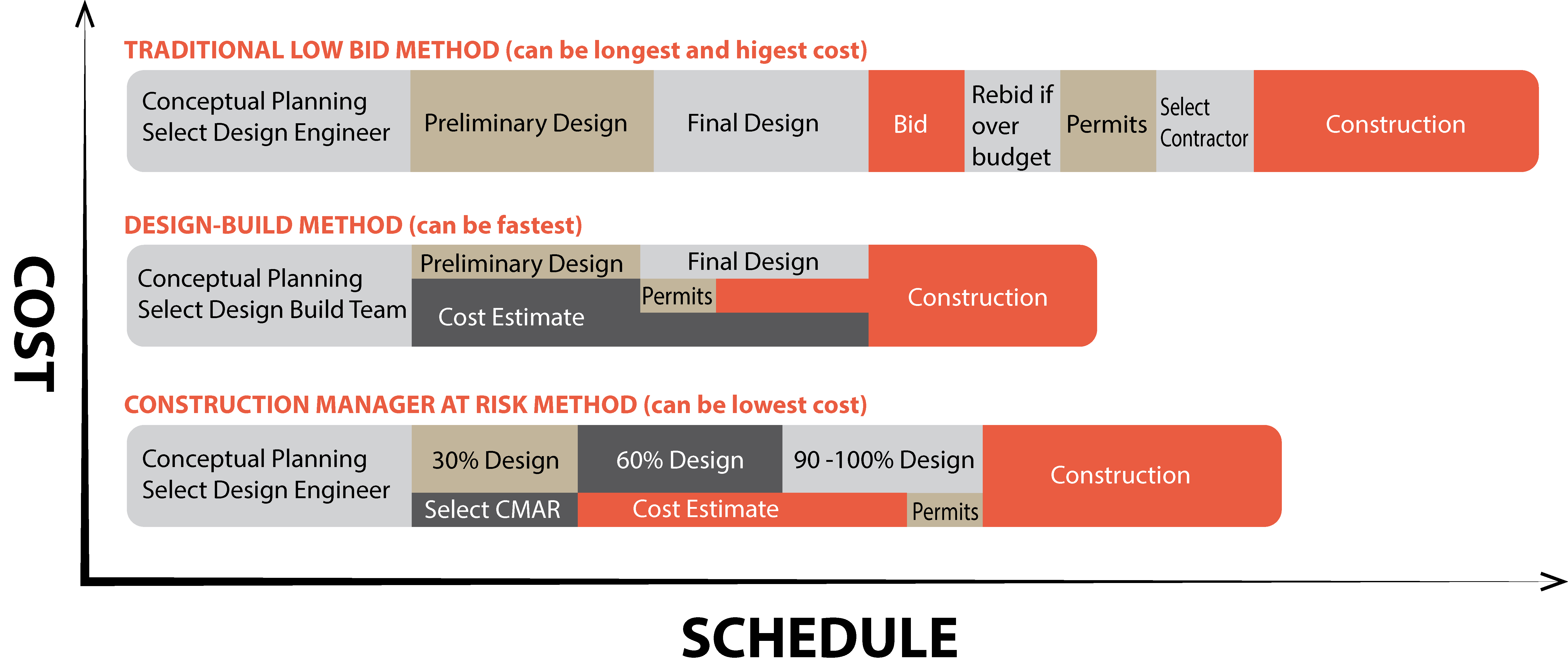
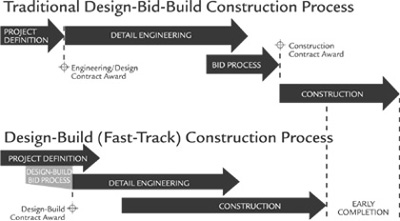
Project Delivery Methods

Underpinning
Underpinning – a solid foundation laid below ground level to support or strengthen a building
Different Types of Underpinning:
http://www.grainederainette.com/different-types-of-underpinning/
E-builder Training

E-builder Training
Today we will focus on Processes
non-cost processes / cost processes
Workflow – one indiv path to next
how to start a process?
invoice process v4 – work flow process showing diagram
works with any browser. web based. there is also app.
doesnt have to be IE.
Tech Support – they are helpful for how do i do ~~
home / top tool bars
dashboard/projects/planning/forms/process/documents/calendar/biddin
g/cost/schedule/reports/setup…
search bar.
like/dislike
? (top right) – help on whatever screen i am
guide me (top left) – automated guiding
Quick Start section – Quick start with previously done works
Recent Pages…
went over home screen…
NYCHA
PCM -> E-BUILDER
PH I – SANDY PROJECTS
PH II – ALL NYCHA PROJECTS
Cost related processes
daily – Daily Log
INV – Invoice Process
MPR – Monthly Progress Report
NCR – Non-Compliance Report
PERM – Permit Tracker
PCO – Potential Change Order
RFI – Request for Info
REP – Res. Employment Program
SAFE – Safety
SECT3 – Section 3
SPIN – Special Inspection

Process Review
SECTION 3
REP

REP PROCESS
1. start a project
2. Documents for ~~
shows folder structures
left side -> project menu – stuffs inside the project / stay in the project
top tab -> more general stuffs
3. Processes button (left)
upper – filter section
bottom – data
Invoice Processes – draft and open
In step since – date started
4. Start Process button (top right) or Start Selected Process Type
5. Window -> Select
6. REP selected -> pop up window
* -> REQUIRED FIELD
7. Choose dvlp
8. Select Commitment
9. Fill up info
10. List of NYCHA residents employed -> add new item for list of
nycha residents employed fill up info and Add Button
11. Download Template / Import button
12. 6 fields at lower
13. Submit


SECTION 3 PROCESS
1. Select Commitment
2. Section 3 Employees / Non-Section 3 Employees
3. …similar to REP

INVOICES PROCESS


1. Yes, add a commitment invoice (if no, nothing to do with contract)
2. Fill in info
3. invoice number to be 5 digits ex. 22 -> 00022
4. Retype commitment number
5. fill in invoice amount
6. Attach documents tab – sect 3 & rep
7. Attach documents …
8. Destination folder
9. 4.0 Design -> 4.03.05 invoices
10. ready to submit -> submit
we can have multiple invoices simultaneously.
when do we start?
everything uploaded 2 weeks ago.
To see previous invoices.
files still uploading to the server. not completed yet.
PCO PROCESS

1. Start Process
2. PCO
initiator approval -> submit -> pco hold step
once change order is approved, pco is approved?
3. Fill in info
4. Reason Code: Design Change
5. please do not enter anything into commitment change custom fields
or commitment change items sections
6. info should be very specific.
7. submit

When will Shop drawings be on E-builder?
How shop drawings process works and stuffs.
There will be additional training…
Training for construction process will come later.
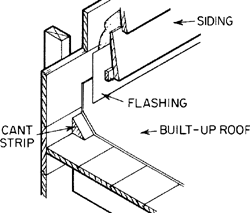
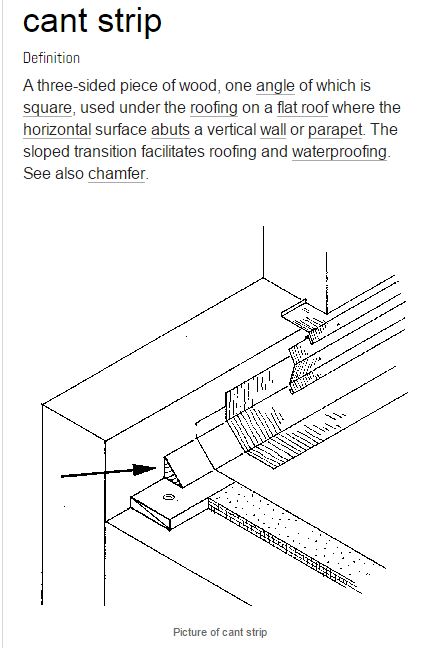
Cant Strip

 H-Ref
H-Ref 